
Wake Forest University

Faculty

staff member attending Kaltura training with instructor

Kaltura is our new video hosting platform

In preparation for a full rollout of Kaltura this spring, Information Systems and the Instructional Technology Group are hosting multiple sessions of a faculty training workshop, Getting Started with Kaltura: A Brief Overview, in December. Join the Kaltura Support team in a virtual session to learn what you can do with your media content.


Google Workspace

Announcing Google Workspace, everything you need to get it done, in one location

Google is rolling out Google Workspace, a rebranded and enhanced version of G Suite. Google Workspace includes all of the productivity apps! In the coming weeks, you will see new four-color icons for Gmail, Drive, Calendar, Meet, and the collaborative content creation tools like Docs, Sheets, Slides that are part of the same family.

New Password Management Portal and Requirements for WFU Users

Starting with the next time you are due to change your WFU password, you will notice a couple of changes. Campus users will now be required to change their password once a year, rather than every six months. With this extended timeframe, it is important to strengthen the sophistication of our campus passwords. These new… Read More »

descriptive

New way to request assistance with scheduling a large video conference

To facilitate requests for hosting large video conferences, we’ve created an easy-to-use form to gather as much information about your event as possible, as early as possible. We ask for your cooperation in using the AskDeac Common Request Forms for requesting Consultation for a Fully Virtual Event or Consultation for a Hybrid Event to Schedule… Read More »

Google Chat

Google Chat replacing Google Hangouts

Good news! On Saturday, June 27, 2020, Information Systems will enable Google Chat as the default chat application, replacing Google Hangouts and eliminating the confusion associated with having both applications.

Apple Back-to-School Promotion Announced – Buy a WakeWare Apple, Get AirPods!

Apple has announced their 2020 back-to-school promotion! Anyone purchasing a WakeWare Apple on or after Monday, June 15 through September 29, 2020, will receive a pair of second-generation AirPods! *Update! No longer are customers asked to add AirPods to their cart upon checkout. Your AirPods will be added to your order.  Upgrade to a Wireless Charging… Read More »

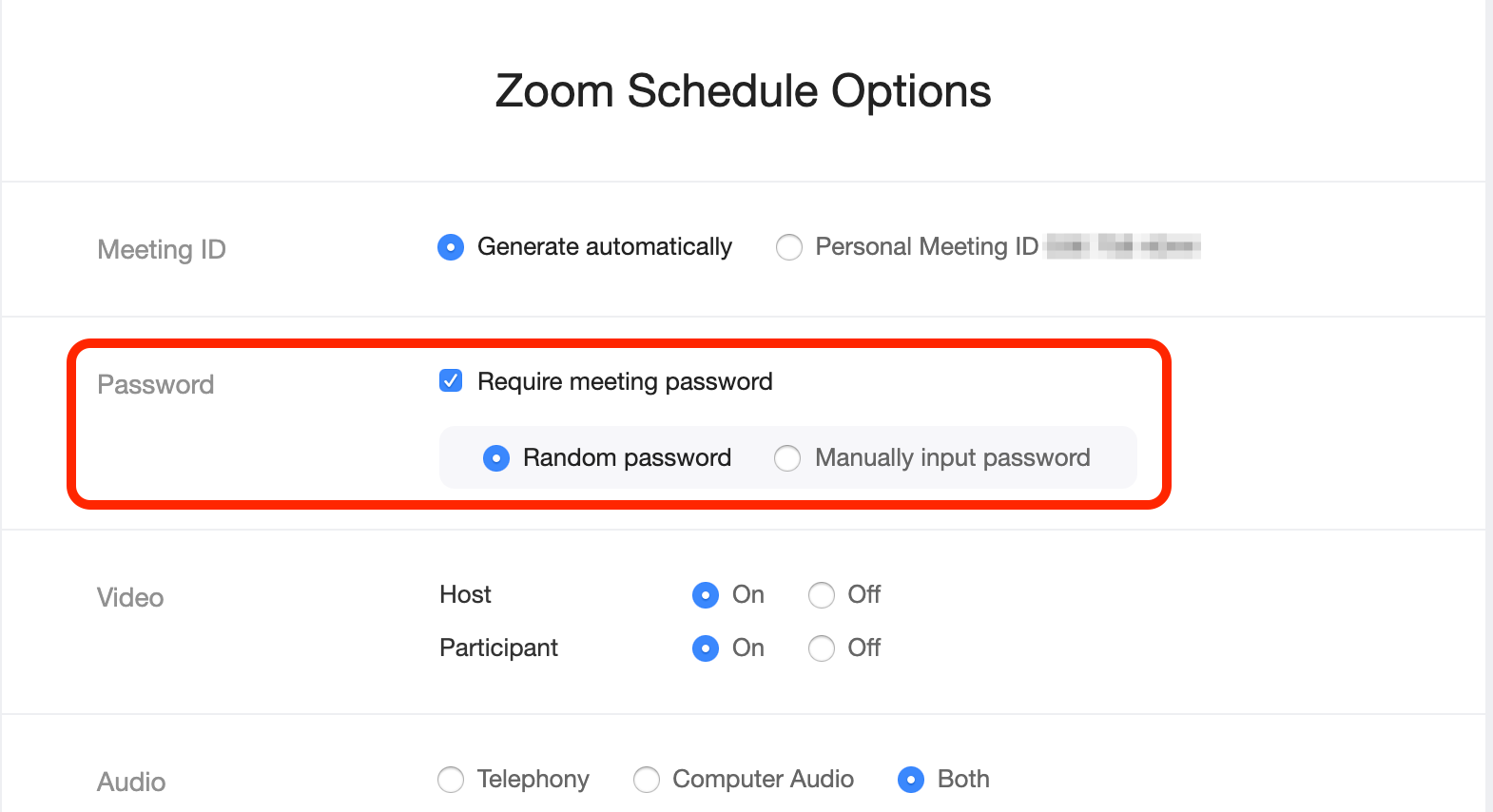
screenshot of Zoom Scheduler - indicate Require Meeting Password

New Zoom and Webex Updates – Action Required for scheduled Zoom meetings

On Thursday, May 21, 2020, Information Systems will be pushing a number of updates to Zoom and Webex to better align with best practices, including requiring meeting passwords, eliminating toll-free numbers, and limiting ways to sign in to Zoom.  Requiring Meeting Passwords. Beginning Thursday, passwords will be required for all Webex and Zoom meetings. Webex… Read More »

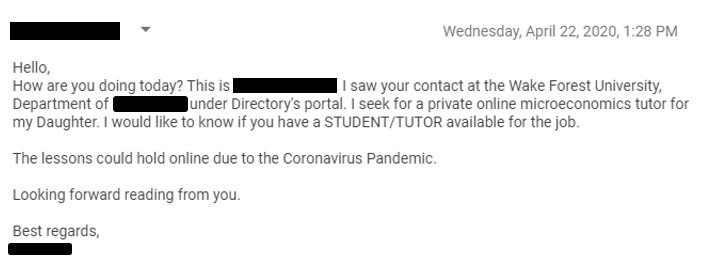
Screenshot of example email requesting an online tutor

Beware of Phishing Emails Requesting Tutors for Online Private Sessions

Members of our campus community have recently reported receiving phishing emails requesting a student or tutor available for private online tutoring sessions. Below is an example of an email received yesterday. Please note the incorrect grammar, which is a good indication of a phishing email.    Do not become a phishing victim:  Never provide your… Read More »

"zoom" in blue gradient

New Zoom In-meeting Security Options

  Zoom has released updates to improve the privacy and security of its video conferencing platform, including a new security button visible to hosts. The new security toolbar features options to lock your meeting, remove participants, disable the ability for screen sharing or chat, and change the way your waiting room functions. A highlight of… Read More »