

Author: Brae Troutman, Student Technology Consultant
Color is an important part of most any visual art, and it plays a vital role in the mood and energy of any creative pursuit: web design, painting, film, or anything of the sort.
However, it’s not always a simple endeavor to find a color palette that’s appropriate for the task at hand, or that reflects your vision behind any given project. One place that I like to turn is my surroundings: color is a vibrant part of our natural world, and especially during the springtime it’s easy to go outside and capture a wide array of bright floral, earthy, and any other variety of samples for your pursuits. But how do you take these real world colors and translate them into something you can use on your computer, for example?
Snap a few pictures of a scene you’d like to sample: a potted pansy, for example:
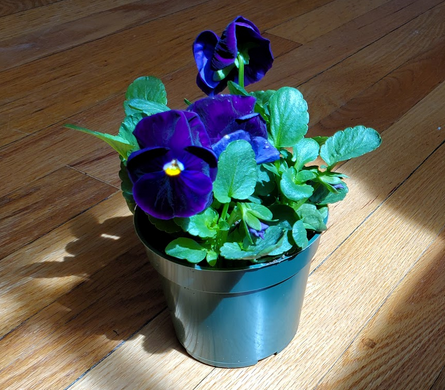
Then, you can upload this picture to Adobe Color (make sure to sign in to your school account first). After that, the site can automatically generate a palette for you out of the most prominent colors in the image. You can even fine-tune the value of the colors chosen, e.g. muted, dark, or bright!
From there, you can save the palette in your Creative Cloud Library, and access it from Photoshop, Illustrator, or any other Adobe product that allows you to use user generated palettes!

You can even copy the hexadecimal codes for your palette and use them in other pursuits, like in a website color theme! Below I added the colors from my pansy image palette to the CSS for my resume website I’ve been working on, and you can see the colors applied to the site:

With some fine tuning, it’s easy to translate this theme over into web-supported colors that will capture the attention of your viewers: the same goes for any other visual pursuit, whether through Adobe CC products or otherwise!